AI use case HikeOn ERP Compliance Extract · validate · flag

The AI that reads every supplier certificate, and won't let a lapsed one reach a PO.

Compliance used to live in a spreadsheet. Now every certificate gets read on upload and checked against what the product category actually requires. Anything the model is unsure about goes to a person.

85%
AUTO-VALIDATED
NO MANUAL RE-KEY
On upload
TRIGGER
PDF OR IMAGE
3 surfaces
VENDOR PROFILE · PO PICKER
COMPLIANCE DASHBOARD
AI cell
SHARED PATTERN
ACROSS THE ERP
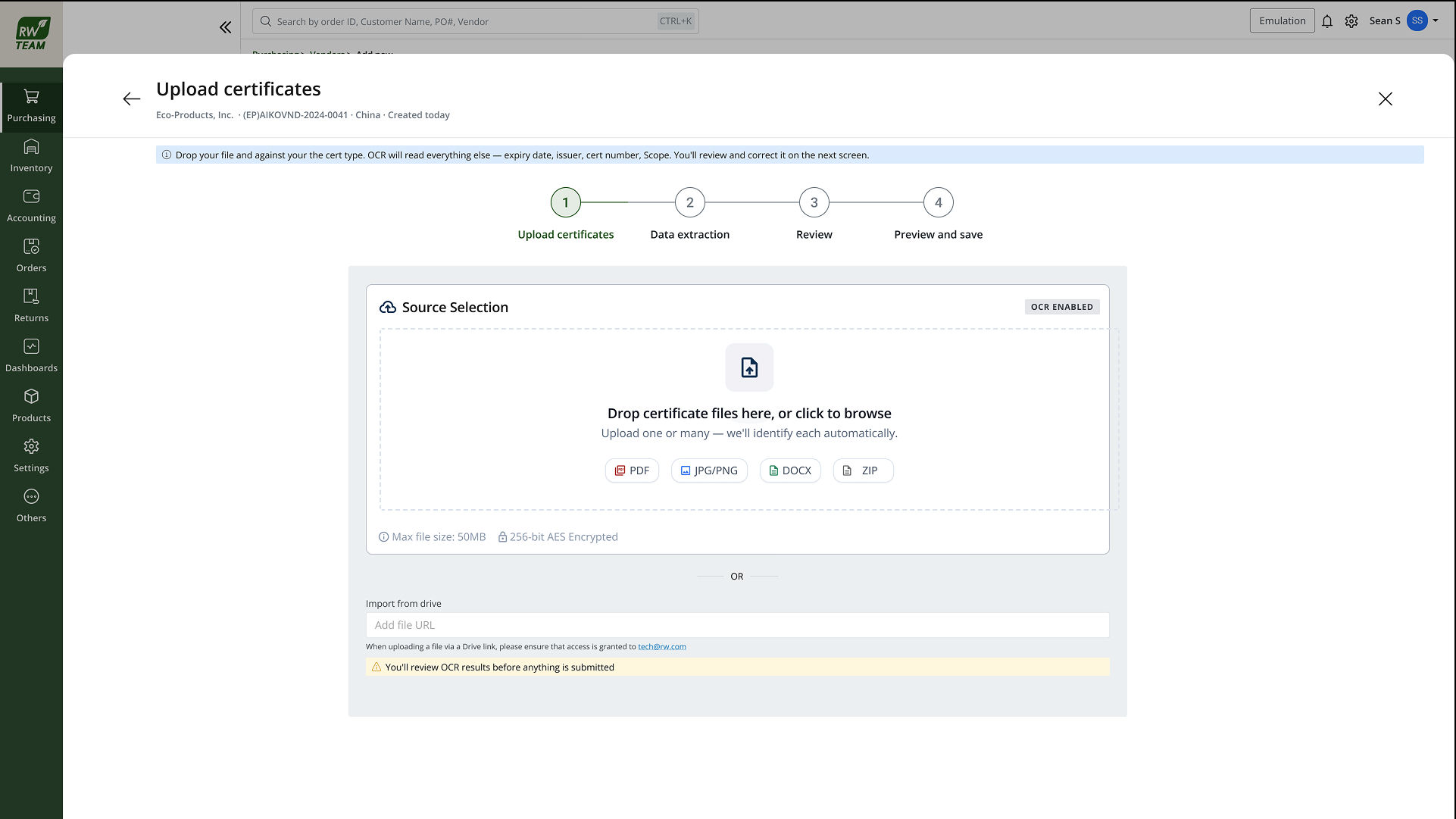
Certificate upload with drag-and-drop source selection and OCR enabled
On upload A certificate lands as a PDF or a phone photo, and extraction starts immediately.

Want the full walkthrough, every edge case and the complete screen set? Read the detailed write-up.
01 · The Problem

Certs arrived by email. POs didn't know either.

Suppliers emailed PDFs. A coordinator tracked expiry in a spreadsheet that drifted from reality within weeks.

A buyer could raise a PO against a vendor whose certificate had already lapsed. The system had no way to know. On a food-contact supplier that is an audit finding waiting to happen.

02 · How It Works

Three steps: extract, validate, flag.

Step 1

Extract

The model reads certificate type, issuing body, dates and scope. Poor scans still extract. Confidence drops instead of the whole thing failing silently.

Step 2

Validate

Fields are checked against the product category's required-cert rules: right type, valid dates, scope covering what this vendor supplies.

Step 3

Flag

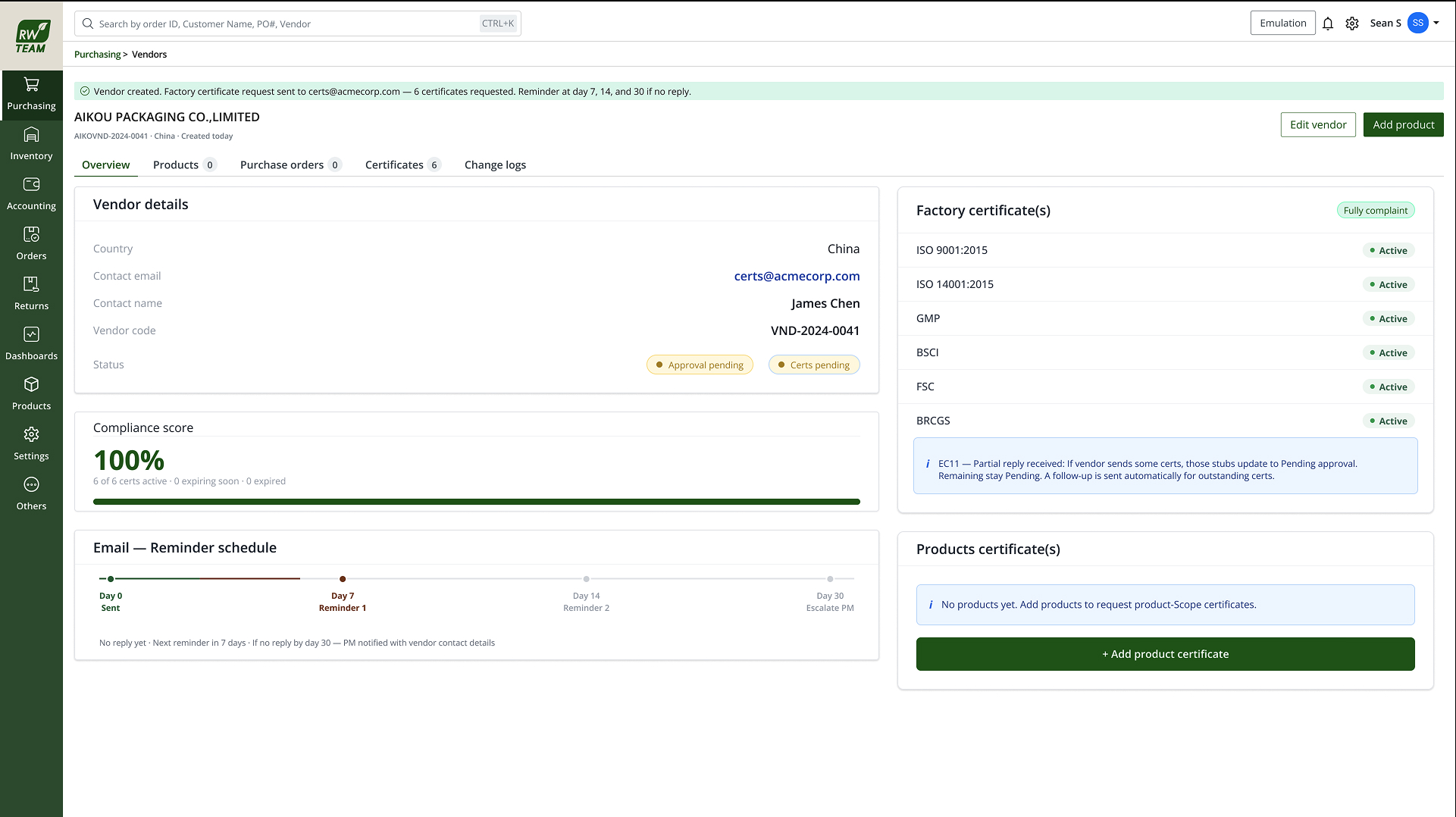
Missing, expiring or invalid certificates surface on the vendor profile, in the compliance dashboard, and inline when a buyer picks that vendor on a PO.

Vendor profile showing factory certificates, compliance score and reminder schedule
Vendor profile Certificate status as a first-class record, visible at the moment someone decides to buy.
03 · The Shared AI Cell

The same four parts everywhere, so reviewers know what to trust.

Every AI surface in the ERP uses one pattern, so a reviewer only has to learn it once.

Suggestion

A plain-language summary of what was read: type, expiry, scope. It comes before the fields.

Confidence

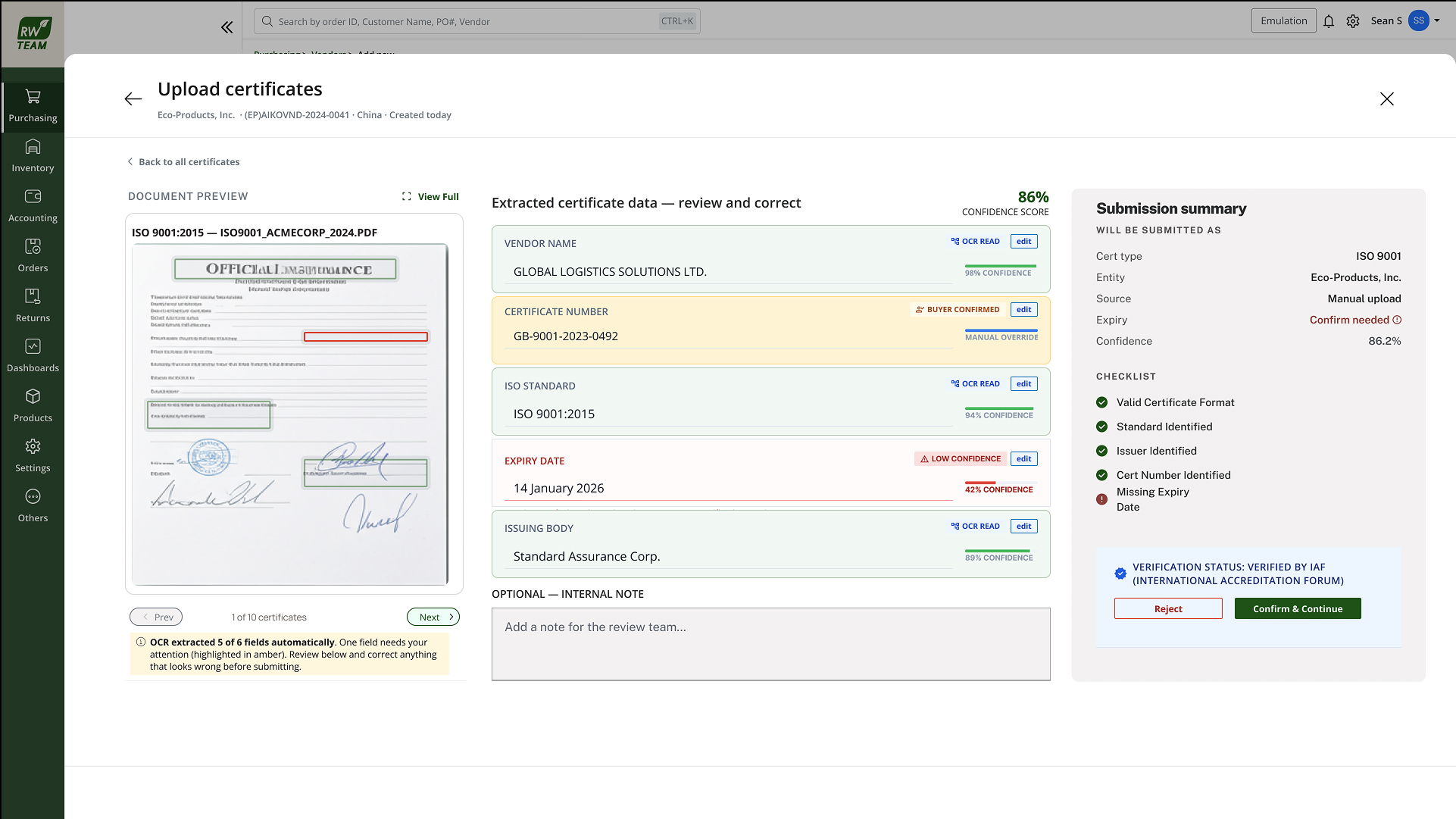
A score on the overall read plus per-field confidence on ambiguous extractions.

"Why this?"

Which regions of the document drove each field, and which category rules matched or failed.

Accept · edit · dismiss

Accept writes to the record. Edit lets you fix a misread before that happens. Dismiss is for when someone attached the wrong document.

Field-level review with document preview, per-field confidence and edit controls
AI cell Document preview beside extracted fields, with confidence on every line.
04 · Trust & Edge Cases

AI does the reading. Humans do the trusting.

Nothing enters the compliance record without an explicit accept, and every override is logged. Low-confidence extractions pre-fill but stay in pending review until a human confirms them.

Expired certificate

Hard flag on the profile and a block on new POs for affected categories until a valid replacement is accepted.

Low-confidence read

Soft warning only. An unconfirmed extraction never hard-blocks a buyer on the model's word alone.

05 · Outcome

85% of uploads validated without manual re-key.

Across the first three months live, 85% of certificates were extracted, matched against category rules, and accepted without a reviewer correcting a single field.

The remaining 15% were low-confidence scans or unknown certificate types that needed a human to pick. That is the system doing its job.

One of eight AI use cases in the ERP. The AI cell is shared across all of them, so nobody has to rebuild trust in a new pattern each time.